
Smart Home Security Installation: DIY vs Professional During Renovation
Deciding between smart home security installation DIY or professional during renovation? Call 8334393727 for expert guidance and get it right the first time.

By Patrick Parker
Learn more about Home Security and Alarms Install for guides, costs, and what to expect.
Compare Home Security and Alarms Install Pros Near You

Enter your ZIP code to compare top-rated local professionals and request free quotes.
You are tearing down walls, rewiring circuits, and reimagining your living space. This is the perfect moment to think about smart home security installation, and the choice between DIY and professional installation during a renovation can save you thousands of dollars or cost you dearly in the long run. The decisions you make now, while the studs are exposed and the drywall is down, will determine how seamlessly your security system integrates with your newly renovated home. Get it right, and you will enjoy years of reliable protection with minimal hassle. Get it wrong, and you will be patching drywall and pulling new cables just months after the paint dries.
Why Renovation Is the Ideal Time to Install Smart Home Security
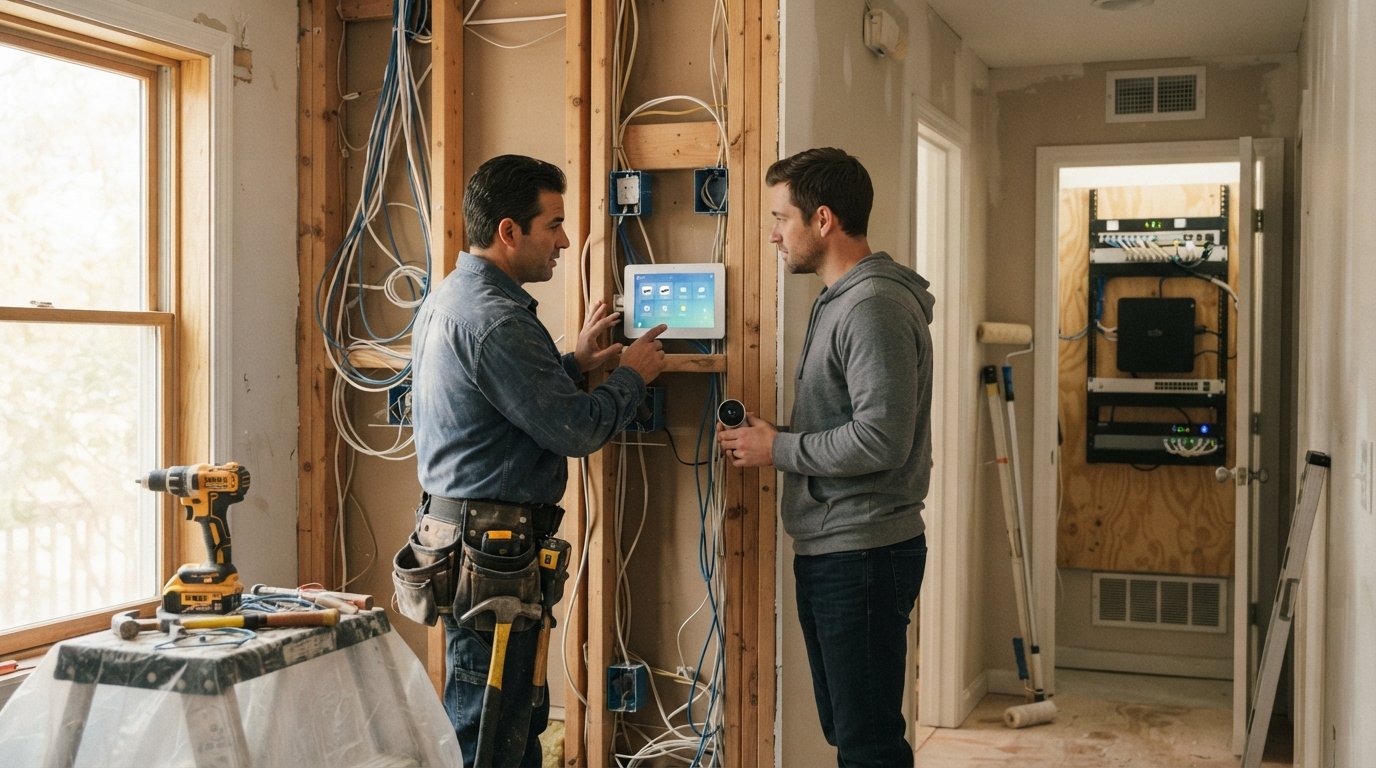
Renovation projects expose the bones of your home. Walls are open, attics are accessible, and electrical panels are often being upgraded anyway. This raw state gives you opportunities that simply do not exist in a finished home. Running Ethernet cables for security cameras, installing door and window sensors before trim goes up, and placing a central hub in a climate-controlled closet are all far easier when the structure is exposed.
Beyond convenience, renovation offers cost savings. If you already have electricians and carpenters on site, the marginal cost of adding security wiring or mounting points is small compared to hiring a specialist later. You also avoid the cosmetic damage that comes with retrofitting a finished home: no fishing wires through insulated walls, no cutting access panels in ceilings, and no repainting entire rooms because a camera needed power.
Finally, security planning during renovation lets you design a system that fits your lifestyle rather than adapting your life to a pre-packaged kit. You can specify camera angles based on new room layouts, choose sensor placements that account for added windows, and integrate security with other smart systems like lighting and HVAC from day one.
DIY Smart Home Security Installation During Renovation
Doing it yourself can be tempting, especially if you are handy and already managing other aspects of the renovation. Modern DIY systems from brands like Ring, Nest, and SimpliSafe are designed for homeowner installation, with adhesive mounts, wireless connectivity, and app-based setup. During a renovation, you have the added advantage of being able to run cables and mount devices without worrying about finished surfaces.
However, DIY security installation during renovation is not without pitfalls. You must understand low-voltage wiring, network configuration, and how to avoid interference with other systems. If you are already juggling contractors, permits, and material deliveries, adding security setup to your plate can lead to mistakes that compromise coverage.
Here is a quick framework to decide if DIY is right for you:
- Your technical comfort level: Can you terminate Ethernet cables, configure a router, and troubleshoot Wi-Fi dead zones?
- System complexity: Are you installing a few wireless cameras, or a full hardwired system with sensors on every door and window?
- Time availability: Do you have weekends to spare, or is your schedule already stretched thin by the renovation?
- Code and permit requirements: Does your local jurisdiction require permits for low-voltage security wiring, and are you prepared to pull them?
- Integration goals: Do you want deep integration with other smart home systems, or simple standalone operation?
If you answered yes to the first four and are comfortable with basic networking, DIY may work. But if any of these give you pause, professional help is worth considering. Also, remember that DIY does not mean you are on your own for advice. Resources like our guide on understanding fence installation contractor quotes for homeowners can give you a sense of how to evaluate bids for any trade, including security installers.
Professional Smart Home Security Installation During Renovation
Hiring a professional security integrator during renovation offers several advantages. They bring expertise in system design, code compliance, and integration with other trades. They can coordinate with your electrician to ensure dedicated circuits, with your carpenter to place sensors discreetly, and with your network installer to guarantee reliable connectivity.
Professionals also handle the paperwork. Many jurisdictions require permits for security systems, especially hardwired ones. A licensed installer will pull the proper permits and ensure the work meets local building codes, which can prevent issues when you sell your home or file an insurance claim.
Cost is the obvious trade-off. Professional installation can add $500 to $2,000 or more to your renovation budget, depending on system complexity. But that cost often includes design, wiring, mounting, configuration, and sometimes monitoring setup. When you factor in the value of your time and the risk of DIY errors, the gap narrows.
Another benefit is future-proofing. A professional can recommend a scalable system that accommodates future additions like smart locks, video doorbells, or environmental sensors. They can also set up remote monitoring and integrate with your home automation platform, so you control everything from one app.
Key Factors to Compare DIY and Professional Installation
To make an informed decision, compare the two approaches across several dimensions. Start with cost: DIY saves on labor but may require tool purchases and your time. Professional costs more upfront but can prevent expensive mistakes.
Next, consider time. DIY installation during renovation can slow your project if you are not efficient. Professionals work quickly and can often complete installation in a day or two, minimizing disruption.
Quality and reliability matter too. A professional will test every sensor and camera, ensure proper angles, and verify network performance. DIY might leave gaps in coverage that you only discover during an emergency.
Warranty and support are also different. Many DIY systems offer limited warranties on hardware but not on installation. Professional installers typically warranty their labor, and some manufacturers extend warranties when a certified pro installs the system.
Finally, think about insurance. Some insurers offer discounts for professionally monitored and installed security systems. Check with your provider before deciding.
How to Integrate Security Installation with Your Renovation Schedule
Timing is everything. Security rough-in should happen after framing and electrical but before drywall. This is when you run cables for cameras, keypads, and sensors. If you are using wireless devices, you can install them later, but you still want to plan locations before walls close.
Coordinate with your general contractor early. Let them know you plan to add security so they can sequence trades accordingly. If you hire a professional security installer, they should communicate directly with your GC to avoid conflicts.
If you are doing DIY, create a wiring plan and share it with your electrician. They can pull low-voltage cables alongside electrical lines, saving you time and effort. Just ensure you follow code for separation between high and low voltage.
After drywall and painting, install devices like cameras, doorbells, and touchpads. Test everything before you move furniture back in. This staged approach keeps your renovation on track and ensures security is not an afterthought.
Choosing the Right Security System for Your Renovated Home
Not all security systems are created equal. During renovation, you have the luxury of choosing a system that fits your home's new layout and your family's habits. Consider whether you want a professionally monitored system, self-monitored, or a hybrid.
Professionally monitored systems connect to a central station that alerts authorities during an alarm. They typically require a monthly fee but offer peace of mind. Self-monitored systems send alerts to your phone and let you view live feeds, but you are responsible for calling emergency services.
Hybrid systems allow both: you can self-monitor day-to-day and add professional monitoring when you travel. Many modern systems support this flexibility.
Also, think about smart home integration. If you already have smart lights, thermostats, or voice assistants, choose a security system that works with them. This creates a cohesive experience and can automate routines like turning on lights when a camera detects motion.
When evaluating systems, look for these features:
- Expandability: Can you add sensors and cameras later?
- Connectivity: Does it support Wi-Fi, Ethernet, cellular backup, or all three?
- Video quality: Are cameras HD or 4K, and do they have night vision?
- Smart home compatibility: Does it work with Amazon Alexa, Google Assistant, or Apple HomeKit?
- Contract flexibility: Are you locked into a long-term monitoring agreement?
If you need help finding qualified security installers or other renovation pros, a service like 180Remodel can connect you with vetted contractors in your area. They specialize in home remodeling and can help you coordinate security installation with your broader renovation plans.
Cost Breakdown: DIY vs Professional Security Installation
Understanding the cost difference helps you budget accurately. DIY systems typically range from $200 to $800 for equipment, depending on the number of cameras and sensors. You save on labor but may need to buy tools like a crimper, drill, and fish tape.
Professional installation adds labor costs. Expect $50 to $150 per hour for a security technician, with most installations taking four to eight hours. For a mid-range system, that is $400 to $1,200 in labor alone. However, many security companies offer package deals that include equipment and installation for a bundled price.
Consider long-term costs too. DIY may have lower upfront costs but higher risk of false alarms or coverage gaps. Professional installation may cost more initially but can reduce false alarms and ensure optimal performance, potentially saving you money on monitoring fees or insurance premiums.
If you are renovating on a tight budget, you can mix DIY and professional. For example, run all cables yourself and hire a pro to mount and configure devices. This hybrid approach balances cost and quality.
Common Mistakes to Avoid During Security Installation
Whether you choose DIY or professional, avoid these common pitfalls. First, do not wait until after drywall to plan your security layout. Retrofitting is expensive and messy. Second, do not skimp on network infrastructure. Security cameras and smart hubs require reliable Wi-Fi or Ethernet; a weak signal leads to dropped connections and missed events.
Third, do not ignore power requirements. Wireless cameras need batteries or power outlets. Hardwired cameras need low-voltage power, often via PoE (Power over Ethernet). Plan for power sources during the electrical rough-in.
Fourth, do not forget about cybersecurity. Smart devices are vulnerable to hacking. Use strong passwords, enable two-factor authentication, and keep firmware updated. If you hire a professional, ask about their cybersecurity practices.
Finally, do not overlook permits. Installing a security system may require a permit, especially if you are hardwiring or connecting to a monitoring service. Failure to permit can result in fines or forced removal.
When to Call a Professional for Security Installation
There are times when professional installation is clearly the better choice. If your renovation involves extensive electrical work, a professional can ensure security wiring is done safely and to code. If you are installing a complex system with multiple cameras, smart locks, and integration with other systems, a pro can save you hours of frustration.
Also, if you are not comfortable working with low-voltage wiring or networking, hire a pro. Mistakes can damage equipment or create security vulnerabilities. And if you are renovating a large home or a commercial property, professional design and installation are essential for comprehensive coverage.
Remember, your home security is not an area to cut corners. The peace of mind that comes with a professionally installed, well-designed system is often worth the extra cost.
Smart home security installation during a renovation is a decision that balances cost, time, and expertise. By planning early, understanding your own capabilities, and leveraging professional help when needed, you can create a secure, integrated system that protects your home for years to come.