
Smart Home Integration During a Renovation: 2026 Guide
Plan smart home integration during your renovation to avoid costly retrofits. Call (833)-439-3727 for vetted contractor quotes and expert guidance.

By Aaron Turner
Learn more about Smart Home Installation or Repair for guides, costs, and what to expect.
Compare Smart Home Installation or Repair Pros Near You

Enter your ZIP code to compare top-rated local professionals and request free quotes.
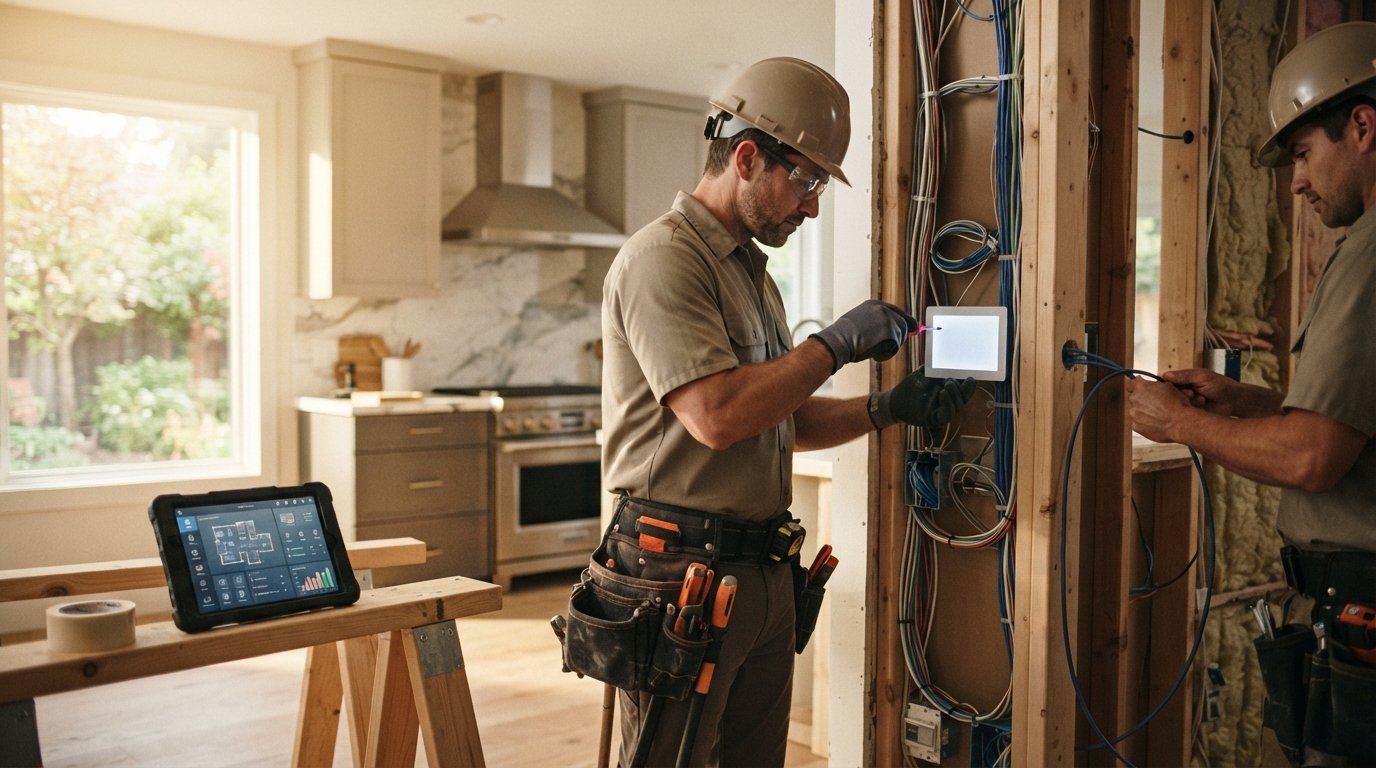
You are standing in a half-gutted kitchen, staring at exposed studs and a tangle of old wiring, and you have a rare chance to future-proof your home without tearing into fresh drywall later. Integrating smart home technology during a renovation is not about buying the most gadgets; it is about making structural and electrical decisions now that will save you money, time, and frustration for the next decade. The difference between a smooth smart home and a constant retrofit project comes down to planning before the walls close up. This guide walks you through the critical decisions, from pre-wiring and ecosystem selection to coordinating trades and protecting your privacy, so your renovation becomes the foundation for a genuinely intelligent home.
Why the Renovation Window Is Your Best Smart Home Opportunity
Retrofitting smart technology into a finished home is always a compromise. You fish wires through insulated cavities, mount sensors on visible surfaces, and accept battery-powered devices that need constant attention. During a renovation, those constraints disappear. Open walls mean you can run dedicated networking cable, install in-wall touch panels, and place cameras exactly where they belong without surface-mounted conduit. The cost difference is dramatic: pulling low-voltage wire before drywall costs a fraction of what it takes to open and repair finished surfaces later.
There is also a safety and performance argument. Smart switches, motorized blinds, and security cameras all need reliable power and, increasingly, reliable data connections. Hardwired devices outperform battery-powered alternatives in uptime, latency, and maintenance. Planning for them during the renovation means you can size the electrical panel correctly, add dedicated circuits where needed, and ensure your network backbone reaches every corner of the house. If you are still clarifying the scope of your project, our guide on remodeling vs renovation can help you frame the work before you commit to a smart home plan.
The window is narrow. Once insulation and drywall go up, your options shrink and your costs rise. Treat smart home infrastructure as part of the renovation scope, not an afterthought, and you will avoid the most common and expensive mistakes.
Pre-Wiring Essentials: What to Run Before Drywall
Pre-wiring is the backbone of a reliable smart home. The goal is to create a flexible infrastructure that supports current devices and future upgrades without locking you into a single brand or protocol. The three pillars are networking cable, electrical capacity, and strategic device placement. Start by mapping where your internet enters the home and how signal will reach the farthest corners, including outdoor areas. A centralized network distribution panel, often called a structured wiring cabinet, is the single most valuable upgrade you can make during a renovation.
Here is what to run and where to run it:
- Cat6 or Cat6a Ethernet to every room with a TV, desk, or potential access point. Hardwired access points outperform mesh systems in large or masonry-heavy homes.
- Dedicated circuits for motorized blinds, security hubs, and any device that should stay powered during outages (consider a backup circuit for the network closet).
- In-wall conduit from the network panel to key locations so you can pull future fiber or new cable types without opening walls.
- Camera pre-wire at soffits and entry points using PoE (Power over Ethernet) cable, which carries both data and power.
- Blind and shade power at window frames, even if you are not ready to buy motorized shades yet.
Beyond cable, think about placement. Smart switches need neutral wires in the box, which older homes often lack; have your electrician verify and correct this during rough-in. Thermostats, doorbells, and leak sensors all benefit from planned locations. Document everything with photos and a wiring diagram before drywall goes up. That record will save hours when you or a future owner needs to troubleshoot or expand the system.
Choosing a Hub Ecosystem and Avoiding Lock-In
The smart home market is fragmented, and the biggest risk is investing in devices that only talk to one proprietary hub. A renovation is the moment to choose an ecosystem strategy that balances ease of use with long-term flexibility. There are three broad approaches: a single-brand ecosystem (convenient but restrictive), a multi-protocol hub (flexible but requires more setup), and a local-first platform that prioritizes privacy and offline operation. Most homeowners are best served by a multi-protocol hub that supports Matter, Zigbee, Z-Wave, and Wi-Fi, because it lets you mix devices from different manufacturers without replacing hardware when you change your mind.
Matter, the interoperability standard backed by major tech companies, is reducing lock-in over time, but adoption is still uneven. When selecting devices, prioritize those that support Matter or at least a widely adopted protocol. Avoid cloud-only devices that stop working if the manufacturer shuts down its servers or changes its subscription terms. For critical functions like lighting, locks, and security, favor local control so your home remains functional during internet outages.
Practical steps to avoid lock-in include keeping your network and hub separate from your internet provider's equipment, choosing devices with open APIs where possible, and maintaining a written inventory of every device, its protocol, and its app. This inventory becomes your roadmap when you expand or sell the home. A little discipline now prevents a costly rip-and-replace later.
Coordinating Low-Voltage Work with Your Electrician and General Contractor
Smart home wiring sits at the intersection of electrical and low-voltage trades, and the handoff between them is where projects go wrong. Your general contractor schedules the electrician for rough-in, but low-voltage work (network cable, camera runs, audio, and sensor wiring) is often handled by a separate installer or a savvy homeowner. The key is to define scope and timing before demolition begins. Decide who pulls which cables, who terminates them, and who tests them. Put it in writing.
Sequence matters. Low-voltage rough-in should happen alongside or immediately after electrical rough-in, before insulation and drywall. If you are running cable yourself to save money, coordinate with the electrician so you do not drill through planned circuit paths or violate code. Many jurisdictions require low-voltage cable to be secured and separated from line-voltage wiring; your electrician or a licensed low-voltage contractor can confirm local rules. Inspections may also require access to the network panel, so plan its location early.
Communication is the other half of coordination. Hold a pre-construction meeting with your general contractor, electrician, and low-voltage installer to walk the plan room by room. Mark device locations on the studs with painter's tape. Confirm ceiling heights for access points and camera angles for coverage. A single hour of alignment prevents the classic renovation headache: discovering a missing cable run after the drywall is painted. For homeowners who want to compare vetted local professionals, resources like PlanRemodel's contractor directory can help you find qualified tradespeople for both electrical and low-voltage work.
Security and Privacy Considerations for Connected Devices
Every connected device is a potential entry point, and a renovation is the right time to build security in rather than bolt it on. Start with the network: create a separate VLAN or guest network for smart home devices so a compromised gadget cannot reach your personal computers or financial accounts. Use strong, unique passwords and enable two-factor authentication on every account that supports it. Prefer devices that support local control and encrypted communication, and avoid budget cameras and hubs with poor security track records.
Privacy deserves equal attention. Cameras and smart speakers collect data, and some manufacturers share it more broadly than homeowners expect. Read privacy policies before purchase, disable unnecessary data sharing in device settings, and place indoor cameras thoughtfully, never in bedrooms or bathrooms. For outdoor cameras, angle them to cover your property rather than neighbors' windows to respect privacy and local laws. If you use voice assistants, review their recording and deletion settings regularly.
Physical security also matters during a renovation. Construction sites attract theft, and smart devices are tempting targets. Do not install finished devices until the project is near completion, but do test rough-in wiring early. Keep the network panel locked and document serial numbers. Finally, plan for updates: choose devices with a track record of firmware support, and build a habit of applying security patches. A smart home is only as secure as its least-maintained component.
DIY Setup vs Professional Installation: Defining the Scope
Not every smart home task requires a professional, and knowing where to draw the line saves money without sacrificing quality. DIY is reasonable for plug-in devices, app-based configuration, and replacing a standard switch with a smart switch if you are comfortable and code allows. Professional installation is the safer choice for anything involving new circuits, panel work, in-wall cable runs, motorized shades with dedicated power, and integrated security systems. The dividing line is usually line-voltage electrical work and structural modifications.
A practical framework for deciding:
- Assess risk: Does the task involve opening the electrical panel, running new circuits, or drilling through structural elements? If yes, hire a licensed pro.
- Check code and warranty: Some municipalities require licensed electricians for switch replacements; some device warranties void with improper installation.
- Evaluate your time and tools: Terminating Ethernet and mounting cameras is DIY-friendly; fishing cable through finished walls is not.
- Plan for integration: Even DIY devices need to be configured into your hub, so budget time for setup and testing.
Many homeowners use a hybrid approach: professionals handle rough-in and electrical, while the homeowner handles device pairing, app setup, and automation programming. This keeps costs down and gives you intimate knowledge of your system, which is invaluable for troubleshooting. Whichever path you choose, test every device before the renovation wraps up, while the trades are still on site and walls are accessible.
Budgeting Smart Home Technology into Your Renovation
Smart home costs are easiest to control when they are line items in the renovation budget, not impulse purchases. Pre-wiring typically represents a small percentage of a renovation budget, but the devices themselves can range widely. Set a tiered budget: infrastructure first (cable, panel, conduit), then core devices (network, lighting, security, thermostat), then convenience devices (shades, voice assistants, sensors). This order ensures the expensive, hard-to-change work happens first.
Also budget for contingency. Smart home projects often expand as homeowners discover possibilities, and a 10 to 15 percent contingency prevents overruns. Remember that some upgrades pay back through energy savings (smart thermostats, automated lighting) while others add resale appeal (integrated security, motorized shades). If you are financing the renovation, clarify whether smart home components are covered and whether your insurer offers discounts for monitored security or leak detection. Documenting your smart home features can also support resale value and insurance claims.
Finally, keep a running inventory with costs, warranties, and account credentials in a secure place. This record simplifies maintenance, supports insurance claims, and helps the next owner understand the system. A well-planned smart home is an asset; a disorganized one is a liability.
Integrating smart home technology during a renovation rewards planning over impulse. Run the cable, choose a flexible hub, coordinate your trades, protect your network, and decide deliberately what you will DIY versus delegate. Do that, and your renovated home will be ready for whatever the next decade of connected living brings, without another round of open walls.